Artificial Intelligence is everywhere right now.
Headlines, workflows, even dinner-table debates. As a designer and marketer, I’ve heard the fears: “Will AI replace us?” “Isn’t it just lazy ctrl-c, ctrl-v?” “Is it cheating?” For me, it’s neither a magic wand nor a looming threat. It’s a tool (a surprisingly good one) when you know how to wield it. Flex it, bend it and command it to do your bidding.
Over the past few years, I’ve experimented with weaving AI into my creative process, not to sidestep the work, but to give me more room for the part I actually love: strategy, storytelling, and design.
1. AI as a Creative Partner, Not a Shortcut
I treat AI like an assistant who’s great at brainstorming but has no taste until I step in. It can spit out a hundred headline variations in seconds, but deciding which one fits my client’s voice? That’s still me. It’s the difference between having raw clay and sculpting the actual piece. It still takes time to massage the right message, find the correct working code or curate a believable visual.
2. Where AI Fits in My Workflow
- Brainstorming & Ideation – Generating rough concepts, wordlists, and starter taglines so I’m never staring at a blank page. (That blank page is a creative’s nightmare. o.O)
- Drafting & Editing – First-pass copy I can tighten, rewrite, and brand-polish, instead of starting from zero. Conditioning of my AI has allowed me to be very specific with the results.
- Content Planning – Structuring blog outlines, social series, or campaign calendars, leaving me more energy for visuals and storytelling. Having a ‘buddy’ to help me set goals has been a game changer.
- Lightweight Coding – As a front end website creator, designer and developer, sometimes I need some help creating specific, but simple, modules. AI gets me on the right coding track and with some tweaking, voila, a dynamic element on the website.
3. Guardrails That Keep It Authentic
- My Voice First – No AI-generated copy leaves my desk untouched. Everything gets reworked until it sounds like me (or my client).
- Fact-Check Everything – AI is great at pattern-spotting, not at perfect accuracy. I verify before I trust.
- Privacy Matters – Client-sensitive details stay off public tools. Even my own personal information stays off the AI platforms. Settings are in place which maximizes security.
- Ethics Count – I avoid shortcuts that might compromise originality or ownership. Inspiration, yes, substitution, no.
4. The Upside (So Far)
- Less “blank screen” paralysis—more creative flow.
- Faster iteration, so I can spend more time on design finesse.
- Clearer headspace for strategy instead of constant firefighting.
- Better organization, less downtime.
5. Creativity Still Wins
AI can predict patterns but it can’t feel culture, nuance, or the subtle chemistry that makes a brand memorable. My human lens with the instincts, the storytelling, and the empathy? Remains irreplaceable. Technology sharpens the tools, but the craft is still ours. Fellow creatives, leverage the changes.
Bottom line: AI isn’t here to take my job; it’s here to free me to do more of the job I love. The key is thoughtful use, firm guardrails, and a steady hand on the creative wheel.
Curious about how others are blending AI into their process? Here’s a great blog from one of my favourite platforms, HubSpot. They dig a bit deeper into the AI controversy from a graphic design perspective and whether AI might actually replace graphic design entirely. AI in Graphic Design: The Pros, Cons and What it Means for Designers [+Expert Insight]
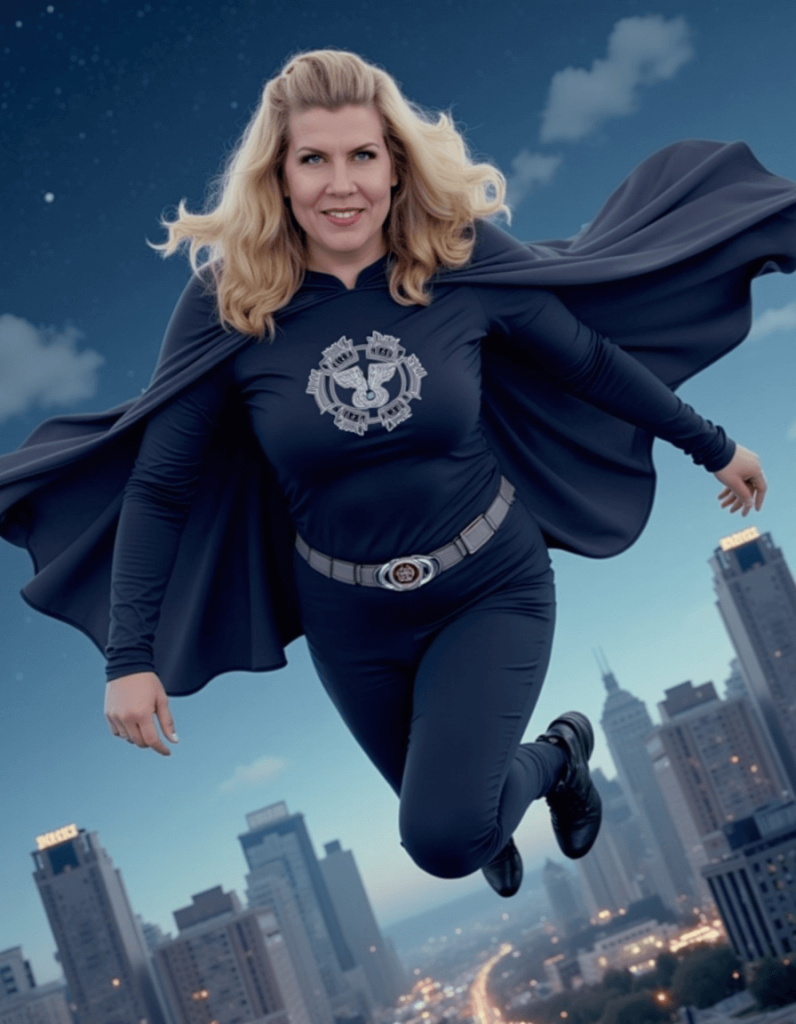
⬇️Sample of why AI can’t always be trusted.⬇️ (Note the left hand.)
Superhero I’m not, but a dreamer I am. ✈️ I do love to fly.